


Best overall: motorized ceiling-recessed screen. Best for bright rooms: ambient-light-rejecting screen. Best budget option: manual pull-down screen. Portable tripod screens suit shared spaces, while fixed-frame screens suit dedicated presentation rooms. This Mega Office Supplies guide compares the five main projector screen types for Australian meeting rooms in 2026.
- A motorized ceiling-recessed projector screen is the best overall choice for a permanent meeting room in 2026.
- Choose an ambient-light-rejecting screen when windows or overhead lights wash out projected images.
- A manual pull-down screen is the practical budget choice for an occasionally used room.
- Portable tripod screens suit shared spaces; fixed-frame screens suit dedicated presentation rooms.
- Match the projector screen to the projector, room light, viewing positions and available mounting surface.
Why this matters
A projector screen is not just a blank surface. Its dimensions, aspect ratio, material and position determine whether people can read a spreadsheet, follow a video and see detail from seats away from the centre line.
A plain wall can work for an informal presentation, but paint texture, colour and surface marks affect the image. A dedicated screen provides a consistent projection surface and a defined image area. It also makes alignment easier when a projector remains installed in one room.
Mega Office Supplies sells office supplies, furniture, stationery and education products to Australian businesses and consumers. For a meeting-room fitout, the practical decision is to classify the room before comparing screen models: permanent or shared, bright or controlled, wall-mounted or portable.
The 2026 buying decision should start with the room, not the largest screen that fits the wall. A screen can be physically large yet difficult to view if the front seats are too close, the back seats are too far away or the projected image is washed out by daylight.
What makes the best projector screen for a meeting room
Use these six criteria to audit each option before buying:
- Aspect ratio: Choose 16:9 for widescreen presentations, video calls and modern video. Choose 4:3 only when the projector or source material requires that older format.
- Visible dimensions: Screen sizes are normally stated as a diagonal measurement, but wall fit depends on width and height.
- Ambient light handling: Standard matte surfaces suit controlled lighting. Compatible ambient-light-rejecting surfaces suit rooms where daylight or overhead lighting cannot be reduced.
- Projector compatibility: Confirm the screen material and format suit the projector's throw type, native aspect ratio and installation position.
- Mounting method: Check the wall, ceiling, ceiling void and power access before choosing a recessed or motorized unit.
- Viewing positions: A screen must remain readable from the side seats as well as the centre of the table.
A 100-inch 16:9 image is approximately 221 cm wide and 125 cm high. An 80-inch 16:9 image is approximately 177 cm wide and 100 cm high, while a 120-inch version is approximately 266 cm wide and 149 cm high. These rounded dimensions come from 16:9 screen geometry and describe the visible image, not the outer housing or frame.
Measure the usable wall area and allow for the screen case, brackets or frame. Then check where the projected image begins relative to seated eye level. A screen mounted too high forces viewers to look upwards throughout the meeting; one mounted too low can be blocked by laptops and people seated at the front.
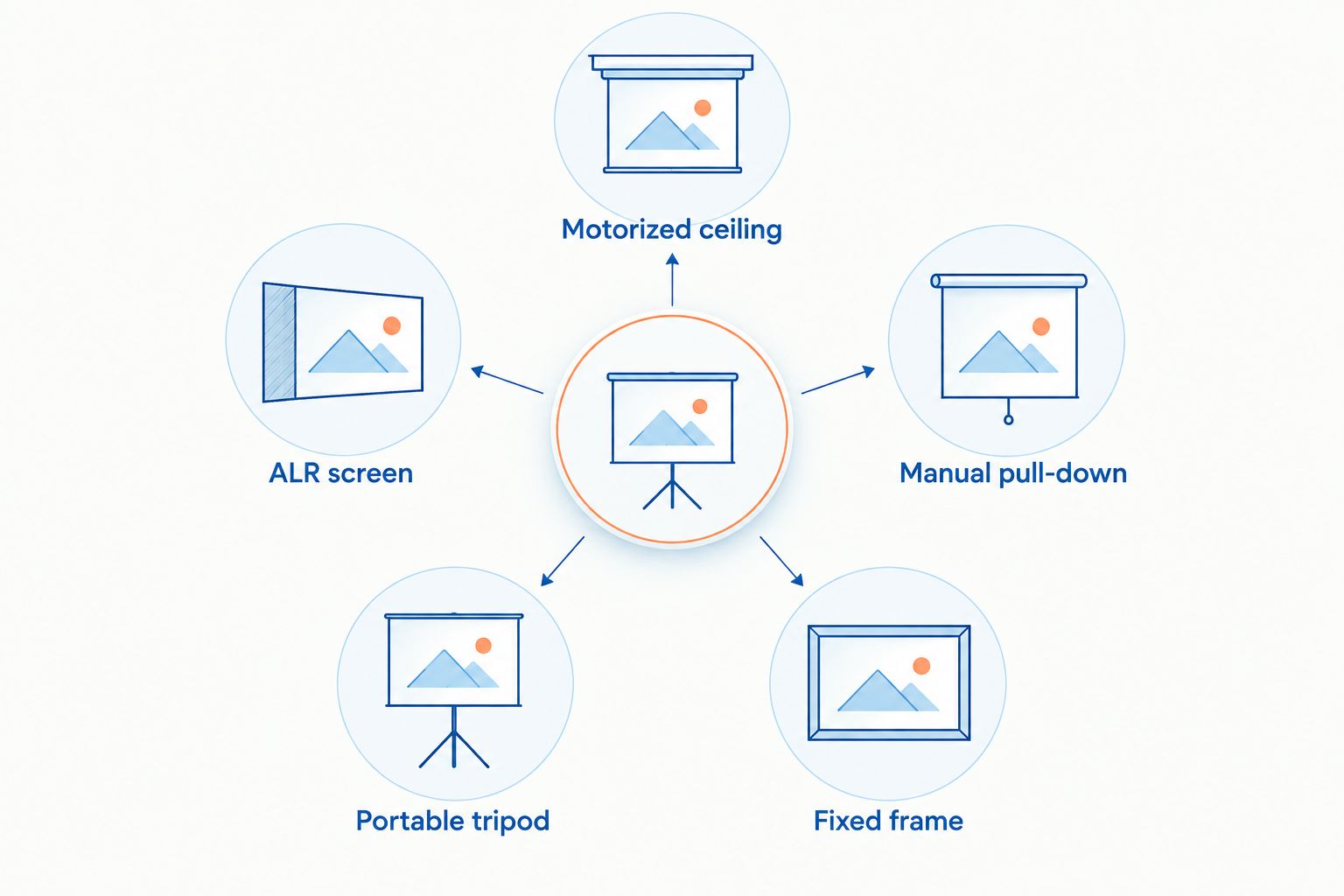
Projector screen types at a glance
| Rank | Projector screen type | Best for | Standout feature | Key limitation |
|---|---|---|---|---|
| 1 | Motorized ceiling-recessed | Permanent boardrooms | Retracts into the ceiling | Installation requires suitable ceiling and power access |
| 2 | Ambient-light-rejecting | Bright meeting rooms | Manages unwanted room light | Must match the projector type and seating layout |
| 3 | Manual pull-down | Occasional presentations | Simple retractable design | Rolled material can develop visible waves |
| 4 | Portable tripod | Shared and temporary spaces | Moves between rooms | Occupies floor space and requires setup |
| 5 | Fixed-frame | Dedicated presentation rooms | Tensioned, consistently flat surface | Remains visible and permanently occupies the wall |
1. Motorized ceiling-recessed: best overall projector screen
A motorized ceiling-recessed screen stores its material inside a housing fitted above or within the ceiling. It lowers for a presentation and retracts when the room returns to normal use.
This is the strongest all-round format for a permanent boardroom because it gives the room a dedicated projection surface without permanently covering the wall. It also removes the uneven handling associated with repeatedly pulling down a manual screen.
Motorized ceiling-recessed screen pros:
- Retracts when the projector is not being used
- Suits meeting rooms with a permanent projector installation
- Keeps the wall available for other presentation surfaces
- Operation does not require staff to pull the screen by hand
Motorized ceiling-recessed screen cons:
- Requires suitable ceiling space, mounting points and power access
- Installation is more involved than mounting a manual screen
- Motor or control faults require repair rather than a simple manual adjustment
Best for: Permanent boardrooms and meeting rooms used regularly.
Mega Office Supplies projector screen verdict: A motorized ceiling-recessed model is the best default for a permanent meeting room in 2026.
Verdict: Buy when the ceiling and electrical plan support a permanent installation. Skip when the room is leased, frequently reconfigured or lacks suitable ceiling access.
2. Ambient-light-rejecting screen: best for bright rooms
An ambient-light-rejecting screen uses an optical surface designed to direct projected light towards viewers while reducing the effect of light arriving from other directions. It is commonly shortened to ALR screen.
ALR is a screen-surface category rather than one mounting format. An ALR surface can form part of a fixed-frame or retractable screen, but the material must suit the projector's position and throw type. A surface intended for one projection arrangement is not automatically suitable for another.
Ambient-light-rejecting screen pros:
- Produces a more usable image where room lighting cannot be fully controlled
- Reduces reliance on blinds and dimmed lights during routine meetings
- Available in formats suitable for permanent presentation spaces
Ambient-light-rejecting screen cons:
- Compatibility requires closer checking than a basic matte white surface
- Viewing performance can vary by seating angle
- It does not fix direct sunlight falling across the screen
Best for: Glass-walled rooms, spaces with windows and rooms where overhead lighting remains on.
In 2026, an ALR screen is the practical choice when the room must remain bright enough for people to take notes and discuss printed documents. Control direct sunlight first; no screen surface compensates for a strong beam falling directly across the image.
Verdict: Buy when ambient light is the room's main image problem. Wait until projector position and throw type are confirmed before selecting the screen material.
3. Manual pull-down: best budget projector screen
A manual pull-down screen mounts to a wall or ceiling and retracts into a casing without an electric motor. You pull the material down for a meeting and release its mechanism to return it to the housing.
The format suits rooms that need a proper projection surface but do not use it throughout the working day. It also avoids the electrical work required by a motorized model.
Manual pull-down screen pros:
- Uses a straightforward mechanical design
- Does not need a nearby electrical connection
- Retracts when the wall is needed for another purpose
- Fits many existing rooms without altering the ceiling void
Manual pull-down screen cons:
- Repeated uneven handling can affect alignment
- A non-tensioned surface can develop waves or curled edges
- Staff must lower and retract it for each meeting
Best for: Smaller meeting rooms and occasional presentations where a permanent electric installation is unnecessary.
The budget comparison should include mounting and expected use, not just the screen itself. A low-use room gains little from paying for motorized operation, while a screen lowered several times each day benefits from a more permanent setup.
Verdict: Buy for occasional use and straightforward retrofits. Hold for a high-use boardroom where manual operation will become a daily nuisance.
4. Portable tripod: best for shared meeting spaces
A portable tripod screen combines a retractable projection surface with a folding floor stand. It requires no wall or ceiling mounting and can move between meeting rooms, training areas and temporary presentation spaces.
Portability is its defining advantage. It also creates the main compromise: the stand occupies floor space and must be positioned, levelled and packed away each time.
Portable tripod screen pros:
- Moves between rooms without permanent installation
- Works in leased spaces where wall fixing is restricted
- Packs away when the room is used for another purpose
- Pairs with a portable projector for temporary sessions
Portable tripod screen cons:
- The stand can interfere with walkways or furniture
- Setup takes longer than lowering an installed screen
- Floor movement can disrupt alignment during a presentation
Best for: Training sessions, temporary rooms and workplaces sharing presentation equipment.
Before buying, identify where the opened legs will sit. The screen must remain clear of doors, walkways and table edges while staying square to the projector. Storage matters too: the closed unit needs a protected place where its casing will not be bent or knocked.

Verdict: Buy when one screen must serve several spaces. Skip when the same room hosts presentations every day and supports permanent mounting.
5. Fixed-frame: best for dedicated presentation rooms
A fixed-frame screen stretches projection material across a rigid wall-mounted frame. The tension keeps the visible surface flat, with no rolling mechanism or casing.
This format provides a consistent image surface and removes moving parts from the screen assembly. The trade-off is permanent wall occupation: the screen stays visible whether the projector is on or off.
Fixed-frame screen pros:
- Tensioned material remains flat across the frame
- Contains no motor or pull-down mechanism
- Provides a fixed image position for projector alignment
- Suits rooms built around presentation and video content
Fixed-frame screen cons:
- Permanently occupies the chosen wall
- Does not suit a wall shared with a whiteboard or noticeboard
- Relocation requires removal and remounting
Best for: Dedicated presentation rooms where the display wall has no competing purpose.
A fixed-frame screen should be treated like furniture rather than portable AV equipment. Confirm wall construction, image position and projector alignment before drilling. If the room also needs handwritten collaboration, retractable projection and a separate writing surface usually make better use of the wall.
Verdict: Buy when the room has a single presentation purpose. Skip when the wall must support whiteboarding, storage or changing layouts.
Check the projector before replacing the screen
A dim or uneven image does not automatically mean the screen is faulty. Check focus, lens cleanliness, projector alignment, source resolution and lamp condition before changing the projection surface.
Older equipment can also distort the buying decision. A room using an overhead projector needs different equipment from a room using a widescreen digital projector. Confirm the model and required component before ordering a replacement such as the Nobo Quantum overhead projector lamp.
The screen and projector must share the same intended image shape. A 16:9 screen paired with a 4:3 source leaves unused space, while a 4:3 screen limits the display area available to widescreen content. Resolve that mismatch before comparing screen materials.
How we ranked these projector screen types
The ranking applies the six buying criteria to common meeting-room use cases in 2026. Motorized ceiling-recessed screens rank first because they solve the broad permanent-boardroom requirement. ALR screens rank second because they solve the distinct problem of uncontrolled room light rather than every installation need.
Manual pull-down screens win the budget slot by avoiding a motor and electrical connection. Portable tripod screens rank for mobility, not image performance, while fixed-frame screens rank for surface flatness in rooms that can dedicate an entire wall to projection.
This is a decision tree, not a claim that one format beats every other format. The best projector screen is the one that fits the room's light, mounting restrictions, projector and pattern of use.
Which projector screen should you choose?
Choose a motorized ceiling-recessed screen for a permanent boardroom with suitable ceiling and power access. It is the 2026 default for organisations that want the projection surface available on demand but hidden between meetings.
Choose an ALR screen when daylight or overhead lighting is the main obstacle. Confirm compatibility with the projector before ordering because ALR materials are designed around specific light directions and projection arrangements.
Choose a manual pull-down screen when the room is used occasionally and the installation needs to stay simple. Choose a portable tripod screen when equipment moves between rooms. Choose a fixed-frame screen only when the display wall has a permanent, single purpose.
The Mega Office Supplies projector screen recommendation for an undecided buyer is simple: start with a motorized ceiling-recessed screen, then switch only when room light, portability or wall use demands another format.
FAQ
What is the best projector screen for a meeting room in 2026?
A motorized ceiling-recessed screen is the best all-round projector screen for a permanent meeting room in 2026. Choose another format when bright light, portability, mounting restrictions or competing wall uses change the requirement.
What size projector screen should a meeting room use?
The correct size depends on viewing distance, room layout and source content. For reference, a 100-inch 16:9 image is approximately 221 cm wide and 125 cm high before allowing for its frame or casing.
Is a 16:9 or 4:3 projector screen better?
A 16:9 projector screen is the better default for widescreen presentations and video in 2026. Choose 4:3 only when the projector or essential source material uses that format.
Is an ALR screen better than a white projector screen?
An ALR screen is better in a bright room when its optical surface is compatible with the projector and seating layout. A matte white screen remains a straightforward choice where room lighting is controlled and viewers sit across a wide area.
Can I use a white wall instead of a projector screen?
Yes, a smooth neutral wall can support informal projection, but its paint colour, texture and marks affect the result. A dedicated projector screen provides a more consistent surface and defined image area.
How much does a meeting-room projector screen cost?
Projector screen pricing varies by dimensions, material, mounting format and installation requirements. Compare current product pricing with any electrical, ceiling or wall-mounting work rather than treating the screen price as the full project cost.
Does a motorized projector screen need an electrician?
A motorized screen requires a safe power connection and must be installed according to its instructions and applicable electrical requirements. Confirm the installation scope before ordering a recessed model.
Can a portable projector screen be used in a boardroom?
Yes, a portable tripod screen works in a boardroom when permanent mounting is unavailable. It is less convenient for daily presentations because it requires floor space, setup, alignment and storage.
One last thing
Mark the proposed image corners on the wall before ordering. A rectangle that looks modest in a catalogue can conflict with light switches, ceiling fixtures, cameras, speakers or a writing surface once placed in the actual room.
The Mega Office Supplies projector screen checklist is therefore: measure the visible image, add the housing or frame, confirm the projector format, inspect the light and preserve clear sightlines. That five-part check prevents most room-fit mistakes before installation begins in 2026.


