

Kensington UH1440P USB-C 5Gbps Dual Video Driverless Mobile Docking Station
- Regular price
- $244.42
- Sale price
- $244.42
- Regular price
-
RRP $273.79
At checkout.
Free and simple to apply.
Approx every 2 weeks.
See your payment schedule for full breakdown of your instalments and due dates in the Afterpay app or web portal after you check out. Your instalments and due dates will take into account your preferred payment date, and whether no payment upfront or higher upfront payment applies.
Late fees, eligibility criteria and T&Cs apply. Australian credit licence 527911.
SKU: AAK33853WW
UPC: 085896338536
MPN: K33853WW
UH1440P USB-C dual video driverless mobile dock
Kensington's UH1440P is a 5Gbps driverless USB-C mobile dock with DisplayPort, HDMI and VGA outputs, card slots and 85W pass-through.
The UH1440P is a 5Gbps USB-C mobile docking station from Kensington's Task Master family that needs no drivers. Video outputs are DisplayPort 1.2++, HDMI 1.4 and VGA, for a single 4K display at 30Hz or two 1080p displays at 60Hz. On Windows, dual video needs a DisplayPort monitor connected first, then HDMI or VGA for the second; on macOS, dual video runs in mirror mode.
Order with Kensington code K33853WW or our code AAK33853WW. It adds three USB-A 3.2 Gen1 ports (one at 5V/1.5A, two at 5V/0.9A), a 3.5mm audio jack, SD and microSD UHS-I card slots and Gigabit Ethernet. A laptop adapter of 85W or greater passes up to 85W through the dock. Kensington backs it with a limited 2-year warranty.
DisplayPort, HDMI and VGA outputs suit meeting rooms with older screens and projectors. See more Office Docking Stations and Docking Stations & Hubs, add peripherals from Office Technology Supplies, or see the full Kensington range.
Often ordered together
 Kensington SD4842P EQ USB-C Triple Video Driverless Docking Station$404.60RRP $453.20ex GST
 Kensington SD4781P EQ Dual 4K USB-C and USB-A Docking Station$657.50RRP $736.40ex GST
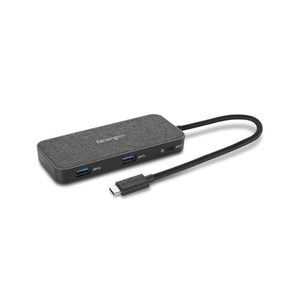 Kensington SD1650P Single 4K USB-C Portable Docking Station$211.90RRP $237.40ex GST
 Kensington UH1400P USB-C 8-in-1 Driverless Mobile Hub$160.70RRP $180.00ex GST
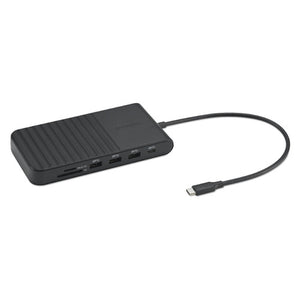 Kensington UH1510P EQ USB-C Triple Video Driverless Dock Black$232.60RRP $260.60ex GST
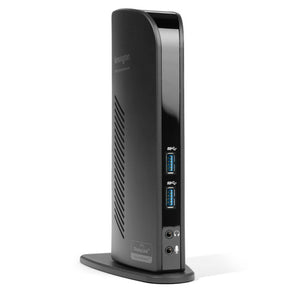 Kensington SD3500V Universal USB 3.0 Dual 2K Docking Station HDMI/DVI-I/VGA$316.10RRP $354.10ex GST


Shipping
Shipping is kept simple with flat rates for selected areas and free shipping where applicable. Large, bulky, rural or out-of-area orders may require additional freight, and our team will contact you if this applies. For a more specific estimate, simply add this product to a quote or visit our shipping page.
Delivery Times
Melbourne, Sydney, Brisbane, Adelaide — 1 to 3 business days
Perth — 1 to 5 business days
Regional & Outer Areas — 3 to 7 business days
Returns
If you have questions about returns, please contact us or visit our returns page for full details.


Specifications
Primary Distribution Centre
Factory 5, 12 Greenway Drive
Tweed Heads South NSW 2486
ABN 18 634 002 609
FAQs
Shipping & Delivery
Delivery time depends on your location, the size of your order, and the shipping option selected at checkout. For in-stock items, standard metro delivery in QLD, NSW and VIC is usually 1 to 7 business days. South Australia, Tasmania, Western Australia and the Northern Territory are generally 3 to 12 business days. Express delivery for eligible parcels under 3kg is usually 1 to 4 business days in QLD, NSW, ACT and VIC. Delivery estimates apply to in-stock items only and may vary due to carrier conditions or delays.
If you need to make a change to your order, please contact our team as soon as possible. Once an order has been processed or dispatched, changes may no longer be possible. You can contact us through our Contact Us page for assistance.
Mega Office Supplies ships orders Australia wide and occasionally internationally. The best avenue would be to contact us so we can customise a specific quote for you. Please note that associated international duties, taxes and levies will be the responsibility of the customer.
Returns, Refunds & Replacements
Mega Office Supplies accepts change-of-mind returns for unopened and unused products within 14 days from the invoice date, provided the item is returned in its original packaging and in resalable condition. Original shipping costs are not refundable, return shipping is the customer’s responsibility, and a restocking fee may apply depending on the product type and supplier. Some items, including electronics, assembled or installed furniture, food, beverages, medicines, custom-made products, and certain bulk or special-order items, are not eligible for return unless required under Australian Consumer Law.
If your order arrives faulty, damaged, or incorrect, please contact Mega Office Supplies as soon as possible. Where required under Australian Consumer Law, a repair, replacement, or refund will be offered. In these cases, Mega Office Supplies will cover reasonable return shipping costs, and photographic evidence may be requested to help process the claim. Items should be reported within a reasonable timeframe after delivery.


