



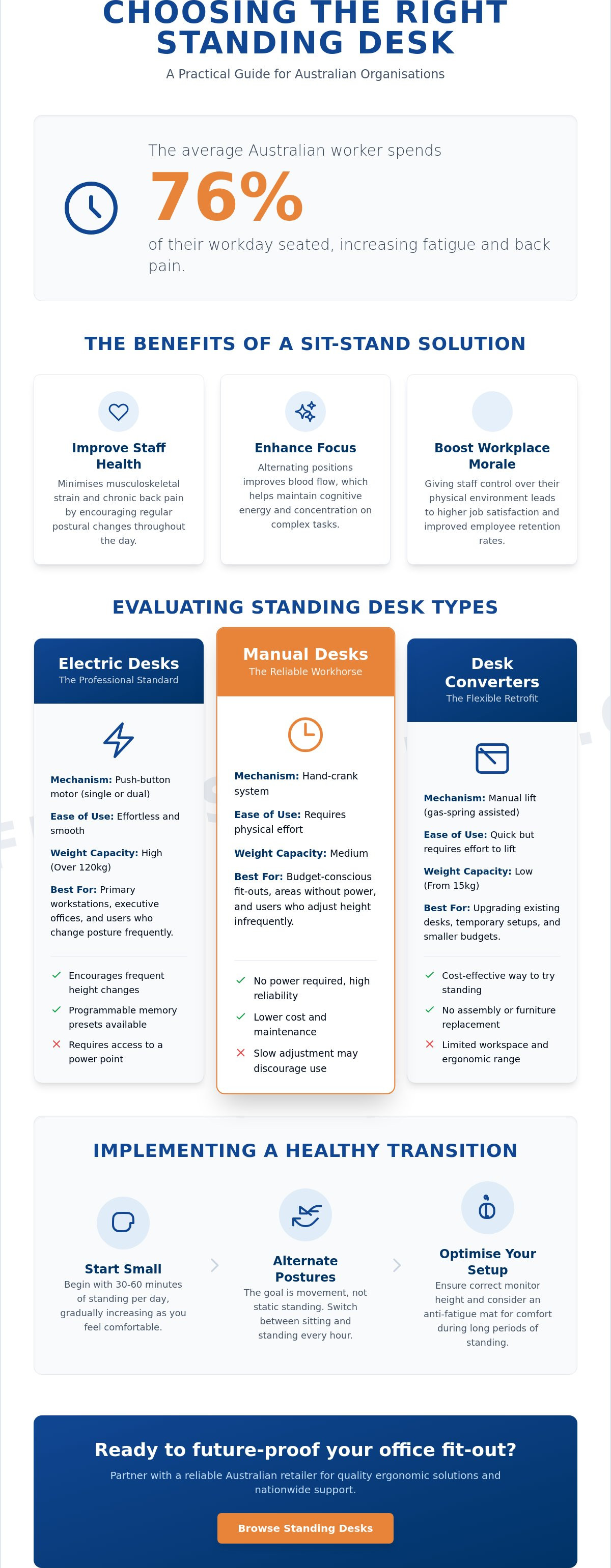
Did you know that the average Australian worker spends 76 per cent of their work day seated? This sedentary lifestyle often leads to persistent workplace fatigue and increased staff absenteeism due to back pain. If you're managing a busy office or a government department, you've likely noticed how these physical strains impact overall productivity. Choosing a quality standing desk is no longer just a trend for modern startups; it's a strategic move to ensure a safe and efficient work environment.
You're probably looking for a solution that balances durability with ergonomic health but feel overwhelmed by the choice between manual and electric mechanisms. We understand that longevity is critical for high-use professional environments. This guide provides the technical clarity you need to select the right hardware for your organisation. We will detail the specific requirements of the Australian standard AS/NZS 4442:2018, compare mechanical options for long-term reliability, and show you how to achieve a future-proof office fit-out that delivers a clear return on investment.
Key Takeaways
- Identify the most effective standing desk for your professional environment by comparing the mechanical reliability and speed of electric, manual, and converter systems.
- Ensure long-term equipment stability by performing the "wobble test" and assessing motor performance to maintain a quiet, productive atmosphere.
- Optimise staff health and focus by implementing a structured transition strategy that prioritises regular movement over static standing.
- Secure a future-proof office fit-out by partnering with a reliable Australian retailer that provides the logistical scale and regional support your organisation requires.
Understanding the Shift to Standing Desks in Australian Workplaces
The Australian professional landscape is undergoing a significant transition in how workspace ergonomics are managed. A modern standing desk is no longer viewed as a niche accessory but as a dynamic sit-stand workstation designed to support movement throughout the day. This shift reflects a growing awareness of "active working," where the furniture itself encourages subtle postural changes rather than enforcing a static, seated position.
Traditional office environments often prioritised static layouts, but contemporary Australian organisations are moving toward flexible solutions that adapt to the user. This evolution is driven by a clear need to address high levels of sedentary behaviour in the workforce. Research indicates that Australian workers spend approximately 76 per cent of their work time sitting. This equates to about five hours per day, with a quarter of the population sitting for more than eight hours daily. Reducing this sedentary time is now a priority for facilities managers and business owners alike.
To see how a dynamic workstation functions in a practical environment, watch this setup guide:
Implementing these workstations helps businesses meet their obligations under the model WHS Act to manage risks associated with prolonged sitting. For a broader perspective on the evolution of these tools, you can refer to Wikipedia's overview of standing desks, which details their history and various mechanical configurations. Transitioning to a more active office culture requires understanding both the physiological benefits and the practical logistical advantages of modern hardware.
The Core Benefits of Sit-Stand Functionality
Physical health is the most immediate priority for any organisation. Alternating positions helps to minimise musculoskeletal strain and chronic back pain caused by fixed postures. These postural shifts also improve blood flow, which maintains cognitive energy and focus during complex tasks. Beyond health, providing staff with agency over their physical environment often leads to higher workplace morale and improved employee retention.
Standing Desks vs. Traditional Desks: A Productivity Analysis
Traditional desks offer limited flexibility for a diverse workforce. In contrast, a standing desk provides the versatility required for modern hot-desking and shared workspaces in Australian offices. This is particularly important for inclusive design, ensuring workstations comfortably accommodate users of varying heights. Investing in quality office furniture reduces long-term costs by lowering the frequency of health-related claims and absenteeism, providing a tangible return on investment for the organisation.
Evaluating the Main Types of Standing Desks
Selecting the correct standing desk requires a technical evaluation of specific workspace requirements and user needs. In high-volume professional environments, durability and ease of transition are paramount. There are three primary categories to consider: electric, manual, and converters. Each offers distinct advantages regarding weight capacity, which typically ranges from 15kg for small desktop units to over 120kg for heavy-duty electric frames. Spatial requirements also vary significantly; while a full desk replacement requires a dedicated footprint, a converter sits atop existing furniture. Understanding these technical trade-offs is essential for a successful office fit-out that supports a diverse workforce.
Electric Height-Adjustable Desks
Electric models represent the standard for modern executive offices and primary workstations. These units feature either single or dual motor systems that provide smooth, quiet transitions at the touch of a button. Many professional-grade electric desks include programmable memory settings, allowing users to save their ideal sitting and standing heights. While they require access to power points and involve a higher initial investment, the ease of use encourages frequent postural changes. This consistent movement is key to achieving the health benefits of a standing desk, such as reduced back pain and improved circulation throughout the work day.
Manual Crank and Pneumatic Options
Manual desks operate via a hand crank or a pneumatic gas lift mechanism. These are highly reliable options for environments where electricity is limited or where budget constraints are a factor, such as in schools or temporary site offices. Manual precision ensures these desks remain functional for years without the risk of electronic failure. However, they do require physical effort to adjust, which may lead to less frequent transitions in a fast-paced setting. They are ideal for dedicated tasks where the height is adjusted only once or twice a day, providing a stable and cost-effective ergonomic solution.
Standing Desk Converters
For organisations looking to retrofit existing furniture without a full replacement, converters offer a practical solution. These units sit directly on a standard desk and use a scissor-lift or gas-spring mechanism to raise the monitor and keyboard. They are portable and require no complex installation, making them suitable for home offices or heritage buildings where floor space is fixed. The main drawbacks include a smaller work surface and a potential increase in the desk's total height when seated. If you're coordinating a larger workplace update, evaluating a diverse range of ergonomic office furniture can help ensure the new hardware integrates seamlessly with your existing layout.
Key Technical Features and Specifications to Compare
Evaluating a standing desk for commercial use requires a focus on engineering specifications rather than aesthetics alone. Frame stability is perhaps the most critical factor for professional environments. A "wobble test" should be conducted at the desk's maximum height, which for many models is around 1200mm. If the frame lacks rigidity, even minor typing movements can cause monitor jitter, leading to eye strain and reduced focus.
Motor performance is another technical differentiator. While single motor systems are common in entry-level models, dual motor systems are the preferred choice for high-use corporate settings. Dual motors provide a more synchronised lift, resulting in smoother transitions and a higher weight capacity. Noise levels are also a consideration; professional-grade motors typically operate below 50 decibels to ensure adjustments don't disrupt the concentration of colleagues in an open-plan office. For detailed guidance on positioning these units correctly, the Cornell University Ergonomics Web offers extensive research on the physical requirements of sit-stand workstations.
Surface durability is essential for longevity in busy workplaces. While melamine is a standard and cost-effective option, high-pressure laminates (HPL) offer superior resistance to impact, heat, and moisture.
Advanced Features for Professional Use
Modern workstations often include anti-collision technology as a standard safety feature. This system detects resistance during movement and automatically stops the motor, preventing damage to other office furniture such as mobile pedestals or filing cabinets. Integrated cable management solutions are also vital to keep power leads organised and safe from trip hazards. Digital controllers with memory presets allow multiple users to save their exact ergonomic height, ensuring consistency across shared desks and reducing the time spent on manual adjustments.
Durability and Commercial Grade Standards
Understanding weight ratings is crucial for proper equipment selection. An 80kg capacity is generally sufficient for a standard laptop and monitor setup, but a 120kg rating is recommended for workstations supporting multiple large monitors and heavy computer hardware. For high-volume corporate or educational use, look for warranties that cover the motor and electronics for at least five years. Maintenance is straightforward but necessary; keeping the frame free of dust and periodically checking the leg bolts will maintain structural integrity and ensure the standing desk remains a reliable asset for years to come.
Implementing an Ergonomic Transition Strategy
Implementing a standing desk is only effective if the transition is managed with a structured movement strategy. The most common mistake in Australian professional environments is attempting to stand for the entire day immediately after years of sedentary work. This often leads to leg fatigue, foot pain, and lower back strain. Instead, the focus must remain on dynamic movement. Safe Work Australia recommends taking a break from sitting every 30 minutes. A successful transition involves alternating between sitting and standing positions to keep the musculoskeletal system active without causing overexertion or secondary strain.
The 20-8-2 Rule for Active Working
A widely accepted framework for this cycle is the 20-8-2 rule: 20 minutes of sitting, followed by 8 minutes of standing, and 2 minutes of gentle movement or stretching. This postural cycle ensures that blood circulation remains optimal while preventing the fatigue associated with static standing. Staff can use desktop timers or mobile apps to prompt these changes until the rhythm becomes a natural part of their daily workflow.
While managing physical activity, maintaining hydration is equally important for cognitive performance.
Essential Accessories for Standing Desks
To achieve a complete ergonomic solution, the workstation must be supported by the right accessories. To explore a range of curated gadgets and smart home solutions for your workspace, visit The Everyday Element. Anti-fatigue mats are essential for reducing pressure on the lower limbs and joints during standing intervals. Monitor arms are equally critical; they allow the screen height to be adjusted independently of the desk surface, ensuring the eyes remain level with the top third of the screen in both positions. For the seated portion of the cycle, these workstations should be paired with high-quality ergonomic office chairs to maintain correct spinal alignment.
Correct height calibration is vital for both positions. When standing, the desk should be adjusted so the elbows are at a 90-degree angle and the wrists remain neutral on the keyboard surface. During the seated phase, the feet must remain flat on the floor or a footrest to support the lower back. Organisations should develop a formal workplace policy that outlines these ergonomic standards and provides practical training for all team members. This proactive management approach ensures the hardware is utilised correctly, minimising the risk of WHS incidents and maximising the overall return on your office fit-out investment.
To equip your organisation with these professional solutions, you can browse our full range of standing desks and ergonomic furniture at Mega Office Supplies.
Sourcing High-Quality Standing Desks for Professional Environments
Coordinating a large-scale office fit-out requires a procurement process that looks beyond aesthetics to evaluate long-term reliability. Administrators must assess vendors on their ability to handle high-volume demands while providing consistent logistical support. A dependable partner ensures that every standing desk arrives on schedule and meets the specific technical requirements of a professional environment. Integrating these workstations with essential office supplies, such as desktop organisers and cable management kits, creates a cohesive workspace that is functional from the first day of installation. This holistic approach ensures the new hardware is ready for immediate use, minimising organisational downtime.
Professional buyers often require direct assistance when managing complex, multi-site orders. Having access to Australian-based support distinguishes a seasoned distributor from a faceless global competitor. This regional expertise is vital for troubleshooting installation queries or coordinating bulk deliveries to regional locations. Logistical prowess allows for the efficient distribution of heavy hardware, ensuring that every workstation is delivered safely and according to the project timeline. Evaluating a vendor's history of fulfilment and their breadth of industry background provides the security and peace of mind necessary for significant capital investments.
Considerations for Schools and Government
In high-traffic areas like classrooms or government service centres, durability is a non-negotiable factor. Equipment must withstand constant use while maintaining structural integrity over several years. When sourcing educational supplies and classroom furniture, safety features such as rounded corners and widened, stable bases are essential to prevent accidents in active environments. Compliance with Australian workplace safety and health regulations ensures that the organisation meets its duty of care, providing a secure setting for both staff and students. Manual precision in these environments often takes precedence, as hardware must remain functional without the need for constant electronic maintenance.
The Mega Office Supplies Advantage
Mega Office Supplies positions itself as a dependable partner for professional procurement, backed by the cumulative decades of combined industry experience held by our team. We understand the specific workflow of professional buyers who need to evaluate costs and quantities quickly. Our national delivery capabilities ensure consistent office standards across multiple sites, whether you're managing a single corporate office or a network of government departments. We offer streamlined quoting for business, healthcare, and government sectors, providing the financial transparency and efficiency-focused labels required for large-scale projects. By focusing on volume, speed of fulfilment, and industrial quality, we help you secure a future-proof office fit-out that prioritises longevity and practical utility.
Optimising Your Workplace for Long-Term Performance
Selecting a professional-grade standing desk is a significant step toward a more dynamic and healthy work environment. By focusing on mechanical reliability and implementing a structured transition strategy, organisations can effectively minimise sedentary risks and improve staff alertness. It is essential to prioritise equipment that meets Australian standards while ensuring users are trained in the correct sit-stand cycles to prevent fatigue. A successful fit-out relies on hardware that offers both stability at maximum height and the durability required for high-volume use.
Mega Office Supplies is a preferred supplier for government and education departments, leveraging decades of combined industry experience to support your procurement needs. We provide national delivery across Australia, ensuring that every workstation meets the high standards required for professional environments. Our team understands the logistical requirements of large-scale projects and provides the regional support necessary for a seamless implementation.
View our range of professional standing desks and ergonomic solutions to begin your workspace transformation. With the right hardware and a commitment to active working, your organisation can build a future-proof office that supports both physical health and operational efficiency.
Frequently Asked Questions
How long should I stand at my desk each day?
You should aim to alternate positions every 30 to 60 minutes rather than standing for hours at a time. A common recommendation for Australian workplaces is a 1:1 or 2:1 ratio of sitting to standing. Beginners should start with 15 minutes of standing per hour and gradually increase this as their leg strength improves. The primary goal is movement, not just a different static posture.
Are electric standing desks better than manual ones?
Electric models are generally superior for professional settings because they facilitate frequent, effortless transitions at the touch of a button. While manual crank desks are reliable and don't require power, the physical effort involved often leads to staff leaving them in one position.
Will a standing desk help with my back pain?
A standing desk can alleviate back pain by reducing the sustained pressure on your lumbar discs caused by prolonged sitting. Movement encourages blood flow and engages the core muscles, which supports the spine. It's also essential to use an anti-fatigue mat and maintain neutral wrist positions to ensure you aren't trading back pain for strain in your feet or shoulders.
What is the correct height for a standing desk?
The correct height for a standing desk is one where your elbows remain at a 90-degree angle while your wrists are neutral on the keyboard. Your monitor should be positioned so the top third of the screen is at eye level, which prevents neck strain. Most desks following the AS/NZS 4442:2018 standard provide a range between 620mm and 1220mm to accommodate the majority of the population.
Do I need a special chair for a standing desk?
You don't need a specialised chair for a sit-stand workstation, provided your current ergonomic chair offers sufficient support for sitting periods. If you're using a fixed-height standing surface, a drafting stool with a foot ring is necessary. For most professionals, the existing chair remains the primary seat during the sitting phase of the movement cycle.
Can I turn my current desk into a standing desk?
You can convert your current desk using a standing desk converter or a desktop riser that sits on your existing work surface. These units use gas-spring or manual mechanisms to lift your monitor and keyboard. They're a practical choice for home offices or leased spaces where replacing the entire desk isn't possible, though they do provide a smaller total work area.
How much weight can a standing desk typically hold?
Most commercial-grade frames hold between 80kg and 120kg, which easily accommodates standard dual-monitor setups and computer hardware. You must factor in the weight of the desktop itself if you're buying the frame separately. Exceeding the rated weight capacity can strain the motor system, lead to uneven lifting, and potentially void the manufacturer's warranty in a corporate environment.
Are standing desks stable when fully extended?
High-quality desks remain stable when fully extended, but budget models may experience a wobble at heights above 1000mm. Frames built with heavy-duty steel and wide leg columns provide the necessary rigidity for professional use. It's important to check that all bolts are tightened during installation and that the desk is placed on a level surface to ensure maximum stability during daily operation.
Article by
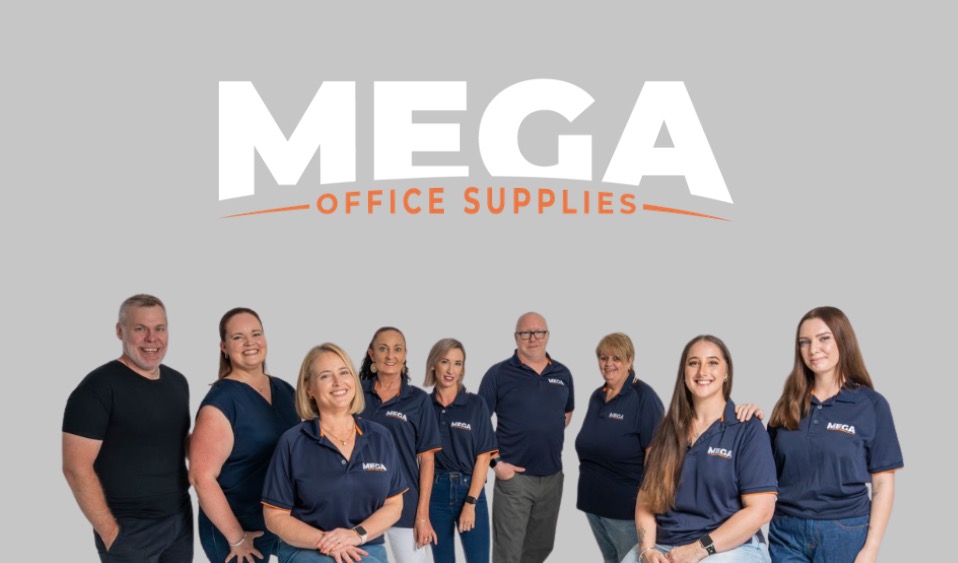
Mega Office Supplies Team
The Mega Office Supplies Team provides practical guidance for Australian businesses, schools, government organisations, healthcare providers, hospitality venues, warehouses and home offices. Based in Tweed Heads South, Mega Office Supplies has been family owned and operated since 2008, offering office stationery, workplace furniture, technology products, labels, printers, cleaning and janitorial supplies, safety products, art materials, education resources and everyday business essentials from trusted brands.
General Information
This article is provided as general information only to help customers compare and choose office, workplace, school, cleaning, technology, furniture, safety and business supplies. Product details, specifications, compatibility, availability, pricing and suitability may vary. Always check the individual product page, manufacturer information, workplace requirements and relevant safety guidance before purchasing or using a product.


