


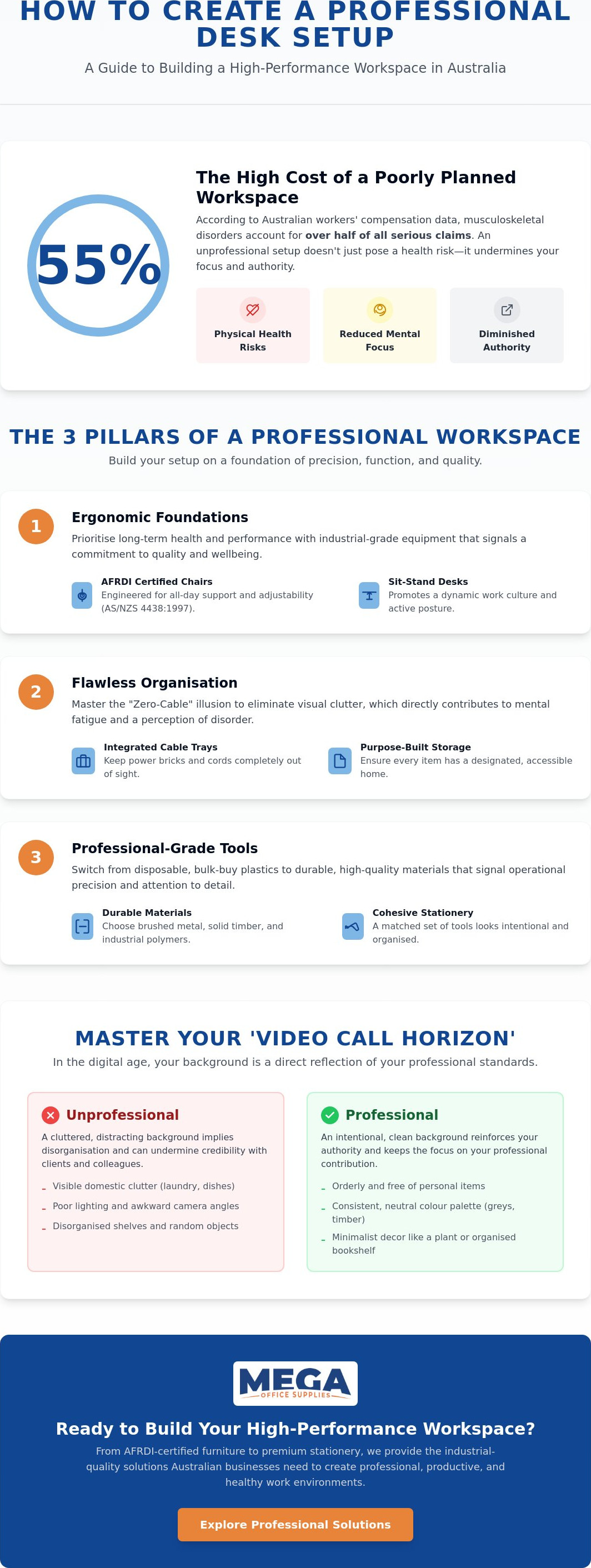
Did you know that musculoskeletal disorders account for 55% of all serious workers' compensation claims in Australia? When your workspace is a tangle of cables and mismatched stationery, it doesn't just impact your physical health; it undermines your professional authority. Many business owners and procurement officers are currently searching for how to make a desk setup look professional to combat the mental fatigue that stems from visual clutter and poor ergonomics.
We understand that a truly professional environment must balance aesthetic appeal with industrial grade functionality. You likely want a setup that commands respect from colleagues on video calls while supporting your wellbeing throughout a high volume workday. This 2026 guide will help you transform any workspace into a high performance environment using proven ergonomic principles and intentional organisation.
We will examine the essential components of a modern workstation, from AFRDI certified seating standards to integrated cable management and durable desk accessories. By the end of this article, you'll have a clear roadmap to creating a clean, efficient space that reflects your expertise and protects your long term health.
Key Takeaways
- Learn how to define your workspace as a high-output professional tool that builds immediate credibility with clients and stakeholders.
- Discover how to make a desk setup look professional by prioritising ergonomic foundations, such as AFRDI certified seating and sit-stand workstations.
- Master the "Zero-Cable" illusion using integrated cable trays and under-desk management to eliminate visual clutter and mental fatigue.
- Understand why switching from bulk-buy plastic to professional-grade stationery signals attention to detail and operational precision.
- Perform a comprehensive workplace audit to identify "unprofessional" markers and source industrial-quality solutions from a reliable Australian partner.
The Anatomy of a Professional Desk Setup
A professional desk setup serves as a primary tool for high-output work and a visual signal of operational reliability. In the Australian business landscape, your workstation is more than just furniture; it's a statement of your professional grade standards. When considering how to make a desk setup look professional, focus on functional precision rather than decorative flair. A standardised setup across a corporate floor or school administrative office creates a sense of cohesion and established trust, suggesting a well-oiled operation capable of handling high-volume demands.
To better understand how simple changes can refine your workspace, watch this helpful video:
Intentionality is the cornerstone of a professional environment. Decorative objects often create visual noise that leads to mental fatigue, whereas every item on a professional desk should have a clear ergonomic or operational purpose. High-quality materials like brushed metal, solid timber, and industrial-grade polymers don't just look better; they offer the durability required for intensive commercial use. Adhering to ergonomic principles ensures your setup supports physical health while maintaining a clean, authoritative aesthetic that commands respect.
The Psychology of a Credible Workspace
A clean, organised desk directly influences how clients and colleagues perceive your authority during face-to-face meetings. This effect extends into the digital space through what we call the "Video Call Horizon". When business owners ask how to make a desk setup look professional for the modern era, they must consider the specific area visible behind them during virtual meetings. To maintain credibility, ensure this background is orderly and free of domestic clutter. Using a consistent colour palette, such as neutral greys, blacks, or timber finishes, minimises visual noise and keeps the focus on your professional output.
Balancing Aesthetics with Utility
True minimalism in a workplace context isn't about having an empty desk. It's about accessibility. Items should be positioned based on their frequency of use, ensuring that your most needed office supplies are within reach but stored neatly. Select office furniture supplies that serve dual purposes, such as monitor arms with integrated cable management or desk mats that protect surfaces while defining your primary workspace. The 2026 Australian Professional Desk Standard requires a seamless integration of AFRDI-certified ergonomic support, clutter-free technology, and high-durability materials that withstand the demands of a high-volume business environment.
Ergonomic Foundations: Prioritising Health and Performance
High-performance furniture is the most visible marker of a professional workstation. It signals that the occupant values efficiency, durability, and long-term health. If you are researching how to make a desk setup look professional, the foundation must be built on hardware that supports high-intensity work. A mismatched dining chair or a laptop propped on a stack of paper files instantly breaks the illusion of authority. Investing in industrial-grade equipment shows that you take your role seriously and understand the logistical needs of a modern office.
A dedicated ergonomic office chair is more than a seat; it is a piece of precision engineering. Chairs compliant with AS/NZS 4438:1997 or those holding an AFRDI Level 6 "Blue Tick" certification provide the adjustability needed for full-day operations. Similarly, the modern profile of a standing desk in an open-plan office or home workspace creates a sleek, active aesthetic. These sit-stand workstations suggest a dynamic work culture and a focus on technical precision. When your monitors are positioned at eye level, it doesn't just improve your posture; it makes the entire setup look "dialled in" and prepared for high-output tasks.
The Role of Monitor Arms and Footrests
Clearing your desk real estate is a critical step in achieving a high-end look. Mounting screens on adjustable monitor arms creates a "floating" tech look that immediately elevates the room's professionalism. This setup allows you to align the centre of your screen with your natural line of sight, a key recommendation in the Mayo Clinic guide to office ergonomics. Using these arms also frees up the space beneath your monitors for essential stationery or a clean desk mat. Don't forget the floor area; a professional footrest ensures your posture remains correct while keeping the space under the desk tidy and organised.
Lighting for Focus and Professionalism
Lighting requires a tiered approach to be truly effective. Harsh overhead fluorescent lights often cause glare and eye strain, making a workspace feel like a warehouse rather than a command centre. Using dedicated desk lamps creates layers of light, which is essential for late-night focus or detailed administrative tasks. Aim for warm task lighting that illuminates your documents without washing out your screen. This creates a clean visual environment that minimises distractions and highlights the professional grade materials of your workstation. You can find these and other workplace ergonomics solutions to help standardise your office environment and ensure your team stays productive.
Mastering Organisation and Cable Management
A professional desk setup is often judged by what you don't see. Tangled power leads and data cables are the primary causes of visual noise and mental fatigue in a workplace. To achieve the "Zero-Cable" illusion, you must treat your desk like a piece of industrial hardware. Use under-desk cable trays and baskets to route leads away from both the floor and the work surface. This ensures a clean floor area, which is vital for safety and aesthetics in high-traffic commercial environments or home offices.
Wireless keyboards and mice are essential tools for anyone asking how to make a desk setup look professional. By removing physical tethering, you gain more flexibility in your layout and eliminate two of the most prominent cables on the desk. However, even the best hardware won't fix messy habits. Addressing the "too busy to clean" objection requires a disciplined 5-minute daily reset. Before leaving the office, return all stationery to its designated place and clear any loose papers to ensure you start the next day with a high-performance mindset.
Desktop Filing and Document Control
Organisation requires a tiered system for handling paperwork. Using lever arch files allows you to categorise active projects without cluttering your primary work zone. Uniform document storage creates a professional aesthetic that signals reliability to clients and colleagues alike. While document wallets are excellent for transporting files to meetings or between sites, permanent filing cabinets should be used for long-term records to keep the immediate workspace clear and functional.
Decluttering the "Rubbish" and Non-Essentials
Adopting the "rule of three" is a simple way to maintain order; permit only three non-essential items on your desk surface at any time. This prevents personal mementos or "just-in-case" items from overwhelming your primary work zone. A paper shredder is a vital addition for maintaining this order, as it ensures sensitive documents don't pile up in trays. Implementing a formal "clean desk policy" across your organisation standardises these habits, ensuring that every workstation reflects a commitment to precision and security. By removing the non-essential, you allow the professional grade quality of your equipment to stand out.
Selecting Professional Grade Tools and Stationery
The tools you select for your workstation are just as critical as the furniture they sit upon. When considering how to make a desk setup look professional, many business owners overlook the immediate impact of their daily stationery. High-quality supplies signal a meticulous attention to detail that clients and stakeholders notice during every interaction. Swapping out a scratched, plastic "bulk buy" pen for a weighted, premium professional pen transforms a simple desk into a high-performance command centre. It's about consistency. You must ensure your desktop accessories match the finish of your office furniture to create a cohesive, industrial-grade aesthetic that eliminates visual discord.
Whiteboards offer significant professional utility for those managing complex projects or team workflows. They serve as a focal point for brainstorming and high-level planning, indicating to any visitor that the workspace is dedicated to active problem-solving rather than passive administration. A slim-profile whiteboard or a wall-mounted glass board maintains the clean lines of a modern office while providing a functional surface for mapping out high-volume demands. This integration of planning tools into your physical layout reinforces your position as a prepared and organised industry veteran.
The Impact of Premium Writing Instruments
A premium writing instrument serves as a silent, non-verbal cue of success and operational precision. Beyond the visual appeal, these tools are designed for the rigours of a full-time business environment. Selecting pens that offer ergonomic grips is essential for long-form writing during board meetings or site audits, preventing the physical discomfort associated with lower-grade alternatives. To complete the professional look, ensure your desk pad or blotter complements your stationery choice. This provides a stable, high-friction surface that protects your desk while framing your most important tools in a structured, orderly manner.
Standardising Your Workspace Supplies
There is immense visual power in matching notebooks, planners, and presentation folders. Standardising your supplies doesn't just look better; it simplifies procurement by allowing for high-volume orders that maintain a consistent "brand" look across the entire organisation. For those in client-facing roles, using professional display books during meetings ensures your physical materials match the quality of your digital output. This level of organisation reinforces the trust established by your ergonomic furniture and cable management strategies. It shows that every aspect of your workstation, down to the smallest hole punch or stapler, has been selected for its durability and professional grade performance.
Explore our full range of professional office supplies to standardise your workstation today.
Implementation: Transforming Your Desk with Mega Office Supplies
Transforming a workspace from a cluttered area into a high-performance command centre requires a systematic audit of your current environment. To understand how to make a desk setup look professional, you must first identify markers of operational friction. Look for frayed charging cables, mismatched storage folders, or seating that lacks proper ergonomic certification. These elements signal a lack of precision. By removing these unprofessional markers and replacing them with industrial-grade alternatives, you establish a foundation of reliability that supports high-volume work demands.
Sourcing all your essentials from a single, reliable Australian office supply partner ensures aesthetic and functional consistency. This is particularly vital for national office fit-outs where standardisation across multiple sites is required to maintain a cohesive brand identity. Once the initial setup is complete, creating a recurring supply list for your most used items, such as A4 copy paper and toner, ensures the professional standard never slips due to inventory shortages. This logistical approach to workplace maintenance prevents the "clutter creep" that often occurs when mismatched supplies are purchased in haste.
The Procurement Advantage
Business owners and procurement officers prefer a one-stop-shop for furniture and stationery to minimise administrative friction and ensure product compatibility. Our team leverages decades of combined industry experience to help you select hardware that meets strict Australian standards. This historical depth allows us to provide grounded advice on everything from AFRDI-certified seating to high-capacity storage solutions. For streamlined ordering and access to commercial-grade logistical support, you can apply for a business account today. This provides a direct line to a massive distribution network capable of handling high-volume demands with speed and manual precision.
Final Checklist for a Professional Finish
Before you consider the project complete, perform this quick 10-point audit to ensure your workspace meets the 2026 professional standard:
- Confirm your chair holds an AFRDI Level 6 certification for intensive use.
- Ensure monitor centres align with your natural line of sight.
- Verify all power leads are secured in under-desk cable trays.
- Check that all active files are housed in uniform lever arch folders.
- Limit non-essential desktop items to three or fewer.
- Verify the presence of a paper shredder for secure document disposal.
- Ensure task lighting is positioned to eliminate screen glare.
- Confirm the floor area is clear of all loose cables and bags.
- Standardise all writing instruments to professional-grade pens.
- Establish a 5-minute daily reset routine for the end of each shift.
Maintaining this setup requires a weekly check of your supplies and a quick sanitisation of all surfaces. If you require assistance with a large-scale rollout or need specific technical specifications for your workplace, contact the Mega team for direct support. We provide the regional expertise and logistical prowess needed to equip any Australian business, school, or government department for long-term success.
Elevating Your Workspace to Professional Standards
Creating a high-performance environment is a matter of functional precision and intentional organisation. By prioritising AFRDI-certified ergonomic foundations and mastering cable management, you eliminate the visual noise that contributes to mental fatigue. Standardising your stationery and workspace supplies further reinforces your professional authority, ensuring every tool on your desk serves a clear operational purpose. It's not just about aesthetics; it's about building a workspace that supports your health and your reputation.
Understanding how to make a desk setup look professional allows you to command respect from clients and colleagues while protecting your long-term wellbeing. As a family-owned Australian private company since 2005, Mega Office Supplies brings decades of combined industry experience to every workplace solution. We provide national delivery across Australia, supporting the business, government, and education sectors with reliable, industrial-grade hardware that stands the test of time.
Browse our range of professional office furniture and supplies to elevate your workspace today.
Take the first step toward a more efficient, credible, and comfortable work environment that reflects your commitment to excellence.
Frequently Asked Questions
How do I make a small desk look professional?
You make a small desk look professional by maximising vertical space and removing any non-essential items from the surface. Use a monitor arm to lift your screen, which clears significant desk real estate for a clean blotter or a single notepad. Stick to a "one-in, one-out" rule for stationery to prevent clutter from accumulating. A compact, organised workspace often appears more purposeful and efficient than a sprawling, messy one.
What is the best colour scheme for a professional office desk?
The best colour scheme for a professional office desk consists of neutral tones such as black, white, grey, or natural timber finishes. These shades minimise visual distractions and create a cohesive look that pairs well with industrial-grade hardware. Avoid bright, clashing colours that can cause mental fatigue over long shifts. A consistent palette across your desk accessories and furniture reinforces a sense of established trust and operational stability.
Does a professional desk setup actually increase productivity?
Yes, a professional desk setup increases productivity by reducing physical discomfort and visual distractions that lead to cognitive load. Implementing ergonomic principles helps prevent musculoskeletal disorders, which account for 55% of serious workers' compensation claims in Australia. When you understand how to make a desk setup look professional, you create an environment that supports deep focus and high-output work, allowing you to handle high-volume demands without friction.
How can I hide cables on a standing desk?
You hide cables on a standing desk by using a flexible cable management spine and an under-desk tray to house power rails. These tools ensure that leads remain organised and protected as the desk moves between sitting and standing heights. Secure loose wires with reusable ties to prevent them from dangling or becoming a safety hazard. This creates a "Zero-Cable" illusion that maintains a clean, professional aesthetic regardless of the desk's position.
What are the must-have ergonomic items for a professional setup?
The must-have ergonomic items include an AFRDI Level 6 certified chair, an adjustable monitor arm, and a stable footrest. These tools allow you to customise your workstation to your specific physical requirements, ensuring your spine and neck remain correctly aligned. High-performance furniture is a primary marker of a professional grade setup. Including these items demonstrates a commitment to workplace health and safety standards while providing the durability needed for intensive commercial use.
How much should I spend on a professional desk setup?
You should spend enough to acquire commercial-grade equipment that offers long-term durability and compliance with Australian standards. While prices vary based on specific requirements, prioritising high-quality items like sit-stand workstations and ergonomic seating provides better value for money than cheap, domestic alternatives. Investing in professional-grade hardware reduces the need for frequent replacements and protects your health, making it a sound financial decision for any business owner or procurement officer.
Can I make a home office desk look like a corporate workstation?
You can make a home office desk look like a corporate workstation by adopting standardised supplies and rigorous cable management. Use professional-grade stationery, such as uniform lever arch files and premium writing instruments, to replace domestic items. Maintaining a neutral colour palette and understanding how to make a desk setup look professional ensures your home workspace projects the same authority and operational precision as a traditional office, which is essential for video call credibility.
Is it better to have a wireless or wired keyboard for a professional look?
A wireless keyboard is generally better for a professional look because it eliminates one of the most prominent cables on the desk surface. This contributes to a cleaner, more modern aesthetic that suggests a high-tech, efficient workstation. While wired options are sometimes preferred for specific technical roles requiring zero latency, most professional environments benefit from the flexibility and reduced visual clutter offered by high-quality wireless peripherals and mice.
Article by
Mega Office Supplies Team
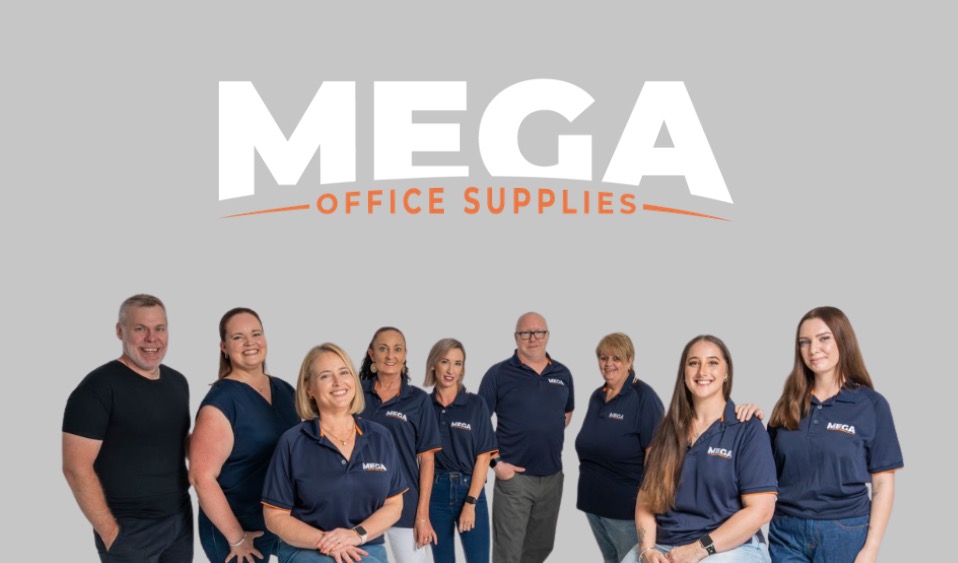
The Mega Office Supplies Team provides practical guidance for Australian businesses, schools, government organisations, healthcare providers, hospitality venues, warehouses and home offices. Based in Tweed Heads South, Mega Office Supplies is a family-owned and operated Australian business offering office stationery, workplace furniture, technology products, labels, printers, cleaning and janitorial supplies, safety products, art materials, education resources and everyday business essentials from trusted brands.
General Information
This article is provided as general information only to help customers compare and choose office, workplace, school, cleaning, technology, furniture, safety and business supplies. Product details, specifications, compatibility, availability, pricing and suitability may vary. Always check the individual product page, manufacturer information, workplace requirements and relevant safety guidance before purchasing or using a product.


